
Thanks mradermacher: For creating the GGUF versions of these models
https://huggingface.co/mradermacher/Qwen3-1.7B-Flux-Prompt-GGUF
https://huggingface.co/mradermacher/Qwen3-1.7B-Flux-Prompt-i1-GGUF
Qwen3-1.7B-Flux-Prompt
Turn simple words into professional Flux.1 image prompts instantly.
This is a fine-tuned version of Qwen3-1.7B-Instruct, specialized in expanding short concepts into detailed, high-quality descriptions optimized for Flux.1 image generation models.
✨ Key Features
- 🚀 Lightweight & Fast: Based on the 1.7B model, it runs extremely fast even on older GPUs or CPU.
- 🧠 "Invisible" System Prompt: The specialized system prompt is baked into the
tokenizer_config.json. You don't need to type complex instructions. Just inputa cat, and it outputs the full prompt automatically. - 🎨 Non-Conversational: It doesn't chat. It doesn't say "Here is your prompt". It only outputs the raw prompt, ready for your stable diffusion pipeline.
- ✅ Validated Quality: Tested thoroughly for diversity and detail (see examples below).
🖼️ Examples
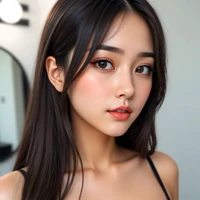
Input: a sexy model at home bed
Output (Generated by this model):
a sexy model at home bed, close-up shot of a woman lying on a luxurious velvet bed with soft golden lighting, elegant floral decor, minimalist modern furniture, subtle candlelight flicker, realistic textures, sensual atmosphere, high-quality photography, dramatic shadows, and a calm yet intimate mood.
💻 How to Use
Method 1: Python (Transformers)
Since the system prompt is integrated, the usage is extremely simple:
from transformers import AutoModelForCausalLM, AutoTokenizer
import torch

model_name = "aifeifei798/Qwen3-1.7B-Flux-Prompt" # Replace with your actual repo name

tokenizer = AutoTokenizer.from_pretrained(model_name)
model = AutoModelForCausalLM.from_pretrained(
    model_name,
    torch_dtype="auto",
    device_map="auto"
)

def generate_flux_prompt(user_input):
    # Just pass the user input! No system prompt needed in code.
    messages = [{"role": "user", "content": user_input}]

    text = tokenizer.apply_chat_template(
        messages,
        tokenize=False,
        add_generation_prompt=True,
        enable_thinking=True
    )

    model_inputs = tokenizer([text], return_tensors="pt").to(model.device)

    generated_ids = model.generate(
        **model_inputs,
        max_new_tokens=512,
        do_sample=True,
        temperature=0.7,       # 0.7 is the sweet spot for creativity
        top_p=0.9,
        repetition_penalty=1.1 # Prevents repetitive phrases
    )

    # Auto-skip thinking process if present and return clean prompt
    output_ids = generated_ids[0][len(model_inputs.input_ids[0]):].tolist()
    content = tokenizer.decode(output_ids, skip_special_tokens=True).strip()

    # Simple cleaning if <think> tags remain (optional)
    if "</think>" in content:
        content = content.split("</think>")[-1].strip()

    return content

# Test
print(generate_flux_prompt("a cyberpunk cat eating noodles"))
🔧 Training Details
- Base Model: Qwen/Qwen3-1.7B-Instruct
- Dataset:
flux_prompt(Alpaca format) - Fine-tuning Framework: Unsloth
- Configuration:
temperature: 0.7 (Recommended)repetition_penalty: 1.05 - 1.1 (Recommended)
💡 Tips for Users
- Keep it Simple: The model thrives on simple inputs like "a girl in rain" or "futuristic car".
- Sampling: Always use
do_sample=Truewithtemperaturearound 0.7 to get diverse results every time you run it.
- Downloads last month
- 35